International travel is recovering at scale. UN Tourism’s World Tourism Barometer reported approximately 1.4 billion international tourist arrivals in 2024, about 99% of 2019 levels. More trips mean more hotel sockets, airport charging points, and unfamiliar plug shapes to navigate. Yet a compact Universal Travel Adaptor is not automatically a safe or suitable one.
The choice deserves a closer look. A traveler may need to charge a phone beside a bedside lamp, then power a laptop at a crowded airport. Plug compatibility matters, but so do the adaptor’s stated voltage range, maximum load, build quality, and safety features. An adaptor changes the plug connection; it does not necessarily convert voltage. That distinction is easy to miss.
Safety researcher James Reason wrote, “We cannot change the human condition, but we can change the conditions under which humans work.” His observation is not about travel adaptors specifically, but it offers a useful safety principle: reduce avoidable risks through clear design and careful checks. Still, no product can replace reading device labels or the manufacturer’s instructions. That part is less convenient.
This guide explains how to compare adaptor types, assess essential safety details, and match a model to your devices and destinations. It also considers practical drawbacks, including bulky designs and limited socket access. “Universal” can sound reassuring. It is not a guarantee of universal compatibility.
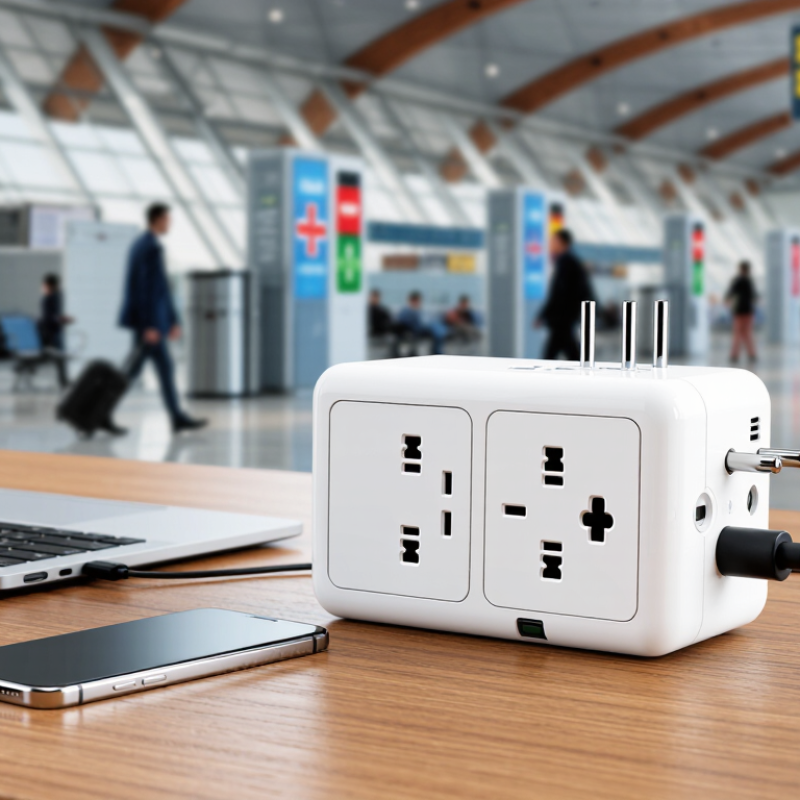
Identify Destination Plug Types: IEC World Plugs Covers 15 Configurations
Choosing the best universal travel adaptor starts with the outlet at your destination, not the adaptor’s number of sockets. IEC World Plugs covers 15 plug configurations, giving travelers a useful reference for identifying common plug shapes. Compare your destination’s configuration with the plug on your device or charger. A two-pin plug may fit where a grounded three-pin plug does not. Small detail. Big difference. Check the adaptor’s product specifications, too; “universal” does not always mean every plug fits securely.
Tips: Before packing, look up the plug type for each stop on your itinerary. Check the outlet shape, grounding, and adaptor fit. Keep a small note on your phone. It helps when destinations change.
An adaptor changes the physical connection, but it may not convert voltage. Read the input range printed on each charger, often near “Input.” If it lists a range that includes the local supply, an adaptor may be all you need. If not, seek a suitable voltage converter or avoid using the device. I still find this easy to overlook when packing in a hurry. Don’t assume one adaptor will cover every situation; verify the destination and device details before you leave.
How to Choose the Best Universal Travel Adaptor? — Identify Destination Plug Types: 15 Configurations
Match the adaptor to the plug configuration used at your destination. Country examples are indicative: multiple socket types may be found in one country, and individual accommodation can differ.
| Plug type | Typical pin configuration | Destination examples | Selection notes |
|---|---|---|---|
| Type A | Two parallel flat pins; ungrounded | Japan, Mexico, United States | Check the device plug and outlet rating; Type A sockets do not provide an earth connection. |
| Type B | Two parallel flat pins and a grounding pin | Canada, Japan, United States | Grounded Type B plugs may not fit a two-slot Type A outlet. |
| Type C | Two round pins; ungrounded | Many European countries, including Greece and Portugal | Common in Europe, but not suitable for every European socket or grounded appliance. |
| Type D | Three large round pins in a triangular arrangement | India, Nepal | Pin size and socket compatibility differ from other three-round-pin types. |
| Type E | Two round pins; socket uses an earth pin | France, Belgium, Poland | Check for Type E compatibility if the device plug requires grounding. |
| Type F | Two round pins; grounding contacts on the sides of the socket | Germany, Spain, Netherlands | Many sockets accept both E- and F-compatible plugs, but confirm the adaptor specification. |
| Type G | Three rectangular pins in a triangular arrangement | Ireland, Singapore, United Kingdom | Some outlets include safety shutters; use an adaptor designed for Type G sockets. |
| Type H | Three pins arranged in a V; newer versions use round pins | Israel | Older and newer socket designs can differ; check the exact outlet and plug fit. |
| Type I | Two angled flat pins; grounded versions add a vertical pin | Australia, China, New Zealand | Confirm whether the destination socket and appliance require the grounded version. |
| Type J | Three round pins in a triangular arrangement | Switzerland, Liechtenstein | Do not assume a Type C plug provides grounding in a Type J socket. |
| Type K | Two round pins and a grounding pin | Denmark | Check grounding and plug fit; other socket styles may also be encountered. |
| Type L | Three round pins in a straight line | Italy, Chile | Italy has more than one socket configuration, so check the specific destination. |
| Type M | Three large round pins in a triangular arrangement | South Africa | Its larger pins are not interchangeable with Type D plugs. |
| Type N | Three round pins in a triangular arrangement | Brazil | Brazilian socket and voltage standards can vary; check the appliance rating and local outlet. |
| Type O | Three round pins in a triangular arrangement | Thailand | Other socket types may also be present in Thailand; verify the outlet before travel. |
Important: A travel adaptor changes the plug shape, not the electrical voltage or frequency. Check that your device label supports the destination’s supply, and use a voltage converter only when the device requires one. For high-power or grounded devices, confirm the adaptor’s ratings and grounding capability.
FAQS
Compare the destination’s outlet shape with the adaptor’s plug configuration. Check grounding and fit, too. Small detail.
No. It changes the plug connection, not voltage. Check the input range printed on your charger before use.
Check whether it has a three-pin plug or requires protective earth. Confirm the adaptor supports a compatible earth connection.
Compare the adaptor’s voltage and maximum current with your device’s requirements. Stay within the adaptor’s stated limits.
Look for clear certification details for the exact model. Ask for documentation if the label is unclear. A logo alone proves little.
Check the fuse rating in the manual. Use only the specified replacement rating. A fuse does not convert voltage.
Check each port’s voltage, current, and wattage, plus the combined limit. A tablet may slow phone charging.
Look for cracks, loose parts, or heat damage. Stop using it if it feels unusually warm. I might miss a tiny gap in dim light.
Conclusion
Choosing the best Universal Travel Adaptor starts with checking the plug types used at your destination. IEC World Plugs covers 15 configurations, which can help you identify the shape you need. Next, read the voltage label on each device: a rating of 100–240 V generally indicates compatibility with a range of supply voltages, but an adaptor changes plug connections, not voltage. If a device does not support the local voltage, you may need a suitable voltage converter.
Safety and charging capacity matter too. Compare grounding and safety features with the relevant IEC 60884-1 requirements, and check that the adaptor has appropriate country certification and a clearly stated fuse rating. For USB-C charging, consider the power your devices require; USB PD 3.1 can support up to 240 W, though an adaptor’s actual port output may be lower. Before buying, verify each port’s output and ensure it matches your devices’ needs.