Choosing a Universal Travel Adapter sounds simple until you face a hotel wall socket with an unfamiliar shape. The right choice depends on your destinations, devices, and charging habits. A compact adapter may fit several outlets, but that does not mean it suits every appliance. Small details matter.
UL consumer-safety expert John Drengenberg’s guidance can be put plainly: an adapter changes plug shape, not voltage. Check each device’s input label before departure. Many phones and laptops accept a broad voltage range, while some hair tools do not. A plug adapter cannot make an incompatible device safe. That distinction is easy to overlook when packing late.
Look beyond the country list. Check for grounded connections, secure plug pins, suitable USB-C power output, and recognized safety certification. Picture charging a laptop beside a bedside lamp: one loose socket or underpowered port can disrupt the whole routine. Simple, but important. A built-in fuse or surge protection may help, though neither replaces careful use. Product descriptions can be confusing, and “universal” is not a promise of universal compatibility. Even careful travelers sometimes buy the wrong model. That is worth admitting. This guide will help you compare adapter types, match them to your devices, and avoid common selection mistakes. Before buying, list your destinations and the devices you actually plan to carry. A short check now can prevent a frustrating search for a usable outlet later.
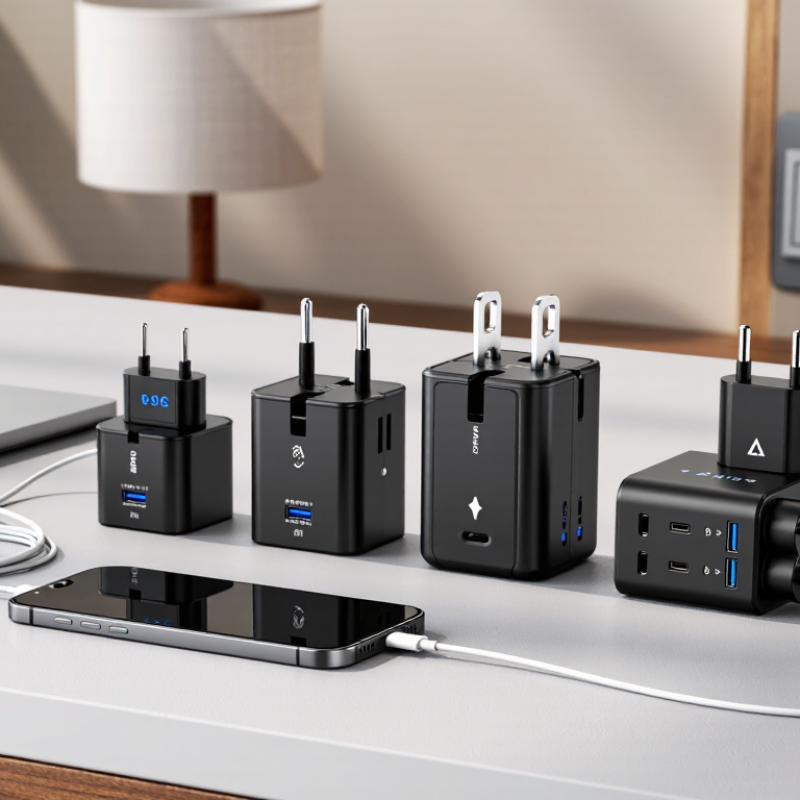
Start with every country on your itinerary, including stopovers. The International Electrotechnical Commission’s World Plugs database maps 15 plug types and lists country-specific voltage and frequency information. Check each destination, not just your main stop. Some countries use multiple socket types, and older hotels may have outlets that differ from newer buildings.
Match the adapter’s plug shape to the sockets you expect to use. A Type G plug, for example, has three rectangular pins; a Type C plug has two round pins. Small detail. Big inconvenience. Also check your device’s input label: an adapter changes plug compatibility, not voltage. If a hair dryer says “100–240 V,” it is designed for a broad voltage range; a single-voltage appliance may need a separate voltage converter.
I would not treat a tidy country list as gospel—regional differences and older rooms can complicate the plan. IEC’s country data is a useful starting point, but verify unusual routes with your accommodation before packing.
A universal travel adapter changes the plug shape; it usually does not convert voltage or frequency. Check the tiny input label on each device before packing. If it says “100–240 V, 50/60 Hz,” it is designed for a broad range of supplies. IEC 60038:2009 lists 230/400 V as standard nominal system voltages and recognizes 50 Hz and 60 Hz supply frequencies. Actual outlets still vary by destination, so confirm local specifications through a reliable electrical-safety source.
Voltage mismatch can damage a device or create a fire risk. Frequency matters, too. Motors and some clocks may run differently on 50 Hz than on 60 Hz. A 120 V-only hair dryer, for example, should not be plugged into a 230 V outlet with a simple adapter. Check the manufacturer’s manual for any frequency limits. The label can be annoyingly small; it is easy to miss one line.
Tips: Photograph each device label before you leave. Match both voltage and frequency, not just the plug. If either value is unclear, ask a qualified electrician or the device maker. A compact voltage converter may help with some devices, but it does not automatically correct frequency. I would double-check rather than guess.
Match the adapter to your devices’ power needs, not just the shape of the wall socket. Check each device’s input label or manual before packing. A label reading “100–240 V” usually means the device can handle common voltage ranges with the right plug adapter.
A plug adapter does not convert voltage. That distinction matters.
List what you’ll charge and note each item’s wattage or charging requirements. Phones and tablets often work well with USB ports, but check whether the adapter’s output supports your device’s charging standard and required power.
If several ports share one power limit, charging everything at once may slow things down. Small detail, big difference.
High-wattage appliances, such as hair dryers, can exceed an adapter’s rating. Check both the device’s wattage and the adapter’s maximum rating; never assume a compact adapter can handle every appliance.
Some appliances also need a voltage converter, which is a separate device and must be suitable for that appliance.
I used to focus on plug compatibility and overlook the tiny ratings printed near the cord. They’re easy to miss.
Check grounding needs, too, especially for three-prong devices, and stop using an adapter that feels unusually hot or fits loosely.
A universal travel adapter should match the outlet shape and the electrical demands of your devices. These are separate checks. An adapter changes plug configuration; it usually does not convert voltage. Read the charger or appliance label and compare its input range with the destination’s supply. If the label lists only one voltage, a plug adapter alone may not be suitable. Small print matters.
Check the adapter’s maximum voltage, current, and wattage, then compare them with your device’s requirements. A phone charger draws little power, while a hair dryer can draw much more. Never exceed the adapter’s rating. For grounded equipment, choose an adapter that preserves the earth connection, and look for built-in shutters and overload protection. These features reduce risk, but they cannot make an unsuitable setup safe. I’ve found that a snug fit is easy to overlook; a loose plug can wobble or heat up. Stop using it if it feels unusually hot, smells odd, or shows damage.
Choose a design around the devices you actually carry, not the word “universal” on the packaging. UN Tourism’s World Tourism Barometer reported 1.4 billion international tourist arrivals in 2024, roughly 99% of 2019 levels. More travelers mean more varied charging routines, from a phone and earbuds to a laptop. Check the adapter’s listed plug types against your destinations, then count its USB-A and USB-C ports. Small details matter. A side-mounted port may be awkward beside a hotel bedside table; a bulky adapter can also block the neighboring outlet. There is no perfect layout.
Match the USB-C output to your device’s needs, and check the total output when several ports are used together. USB-IF’s USB Power Delivery 3.1 specification allows up to 240 watts over USB-C, but that is a specification ceiling, not a promise about any travel adapter. A laptop may charge slowly if the adapter’s port provides too little power. Also confirm your device supports the destination’s voltage: a plug adapter changes the connection, not the voltage. I still find it easy to focus on the number of ports and overlook weight. For a short trip, one strong USB-C port and a compact body may be more useful than a crowded feature list.
| Travel or Charging Need | What to Look For | Why It Matters | Practical Check Before Buying |
|---|---|---|---|
| Trips across several countries | A clearly specified set of plug types, such as A, C, G, and I, with retractable or securely locking pins. | “Universal” does not guarantee compatibility with every outlet. Plug types vary by destination, and some countries use more than one type. | Check the plug type used at each stop and confirm the adapter’s supported input and output configurations. |
| Grounded appliances | A grounded adapter design that explicitly supports the required plug and socket contacts. | Some compact adapters accept only two-pin plugs and do not provide an earth connection. A two-pin adapter should not be treated as grounded. | Confirm that the appliance’s grounding needs are supported; do not remove or bypass its earth connection. |
| Phone and tablet charging | USB-C Power Delivery (PD) for compatible devices, plus enough USB ports for the devices you carry. | USB-C PD can provide faster charging when both the charger and device support compatible power profiles. Port count alone does not indicate charging speed. | Check the stated output per port and the combined output when multiple ports are used at once. |
| Laptop charging | A USB-C PD output that meets the laptop’s required wattage, or a suitable AC outlet for its original power supply. | Many laptops need more power than a phone. A low-wattage USB port may charge slowly or fail to charge the laptop while it is in use. | Compare the adapter’s USB-C output rating with the laptop’s charger specifications. Check whether power is shared across ports. |
| Hair dryers and other high-power devices | An adapter with an AC rating suitable for the appliance, and a separate voltage converter only if the appliance requires one. | A travel adapter changes the plug shape; it generally does not convert mains voltage. High-power appliances can exceed an adapter’s rating. | Read the appliance label for its input voltage and wattage. Do not use an appliance if its voltage range is incompatible with the destination supply. |
| Devices used in different electrical systems | Clear input and output voltage ratings, along with a stated maximum current or power rating. | Countries commonly use different mains voltages. Many phone and laptop chargers accept a broad input range, but not all devices do. | Look for the input range printed on each device or its power supply, such as “100–240 V.” Verify compatibility before plugging in. |
| Charging several devices together | Multiple USB ports and a clearly stated total output, with protection features such as over-current and over-temperature protection. | When several devices are connected, the available power may be divided among ports. A built-in safety fuse can help protect against excessive current. | Check the total output rating, per-port limits, and whether a replacement fuse is included or specified. |
| Frequent packing and transit | A compact, sturdy housing with pins that retract or lock securely and controls that are easy to operate. | A durable, compact design is easier to pack and less likely to have pins exposed or accidentally extended in a bag. | Check the adapter’s dimensions, weight, pin-locking mechanism, and any stated safety certification for your intended market. |
Usually, no. It changes the plug shape, not the electrical supply.
Check its voltage and frequency range. “100–240 V, 50/60 Hz” covers a broad range of supplies.
Not safely with a simple plug adapter. Check the dryer’s manual and ratings before use.
Some motors and clocks may behave differently at 50 Hz and 60 Hz. It is easy to overlook.
Compare its voltage, current, and wattage limits with the appliance’s requirements. Never exceed its rating.
For grounded devices, choose an adapter that preserves the earth connection. Shutters and overload protection can also help.
Stop using it if it wobbles, feels unusually hot, smells odd, or looks damaged. A snug fit matters.
Photograph each device label and check the destination’s electrical supply. Small print matters.
Choosing a Universal Travel Adapter starts with identifying the plug types used at your destinations, since different regions may require different configurations. Also check the voltage and frequency supplied at each location and compare them with the requirements printed on your devices. An adapter changes plug compatibility, but it does not necessarily convert voltage, so confirm whether your equipment can operate safely with the local power supply.
Next, consider the power needs of everything you plan to charge, including how many devices you may use at once. Compare the adapter’s electrical ratings and safety features with those requirements, and choose a design that suits your travel routine. A compact, easy-to-pack option may work well for light charging, while multiple ports can be useful when you carry several compatible devices. Careful checking helps you select an adapter that fits your destinations, devices, and charging habits.